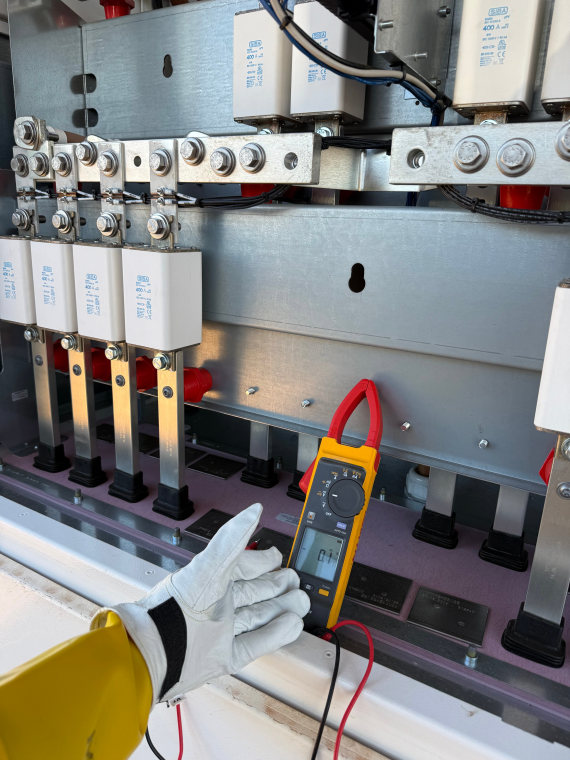
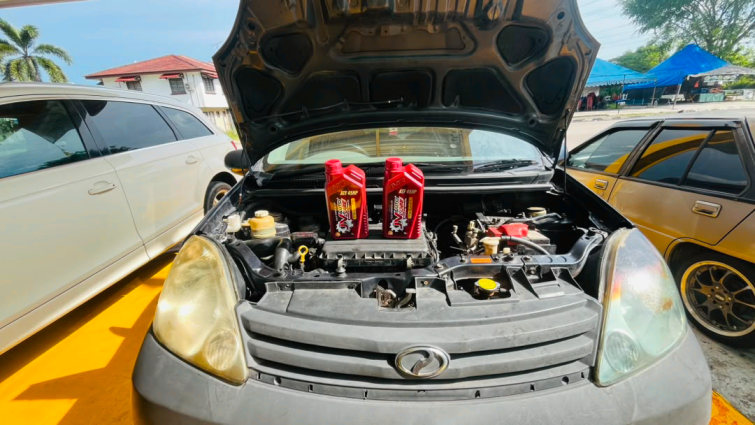
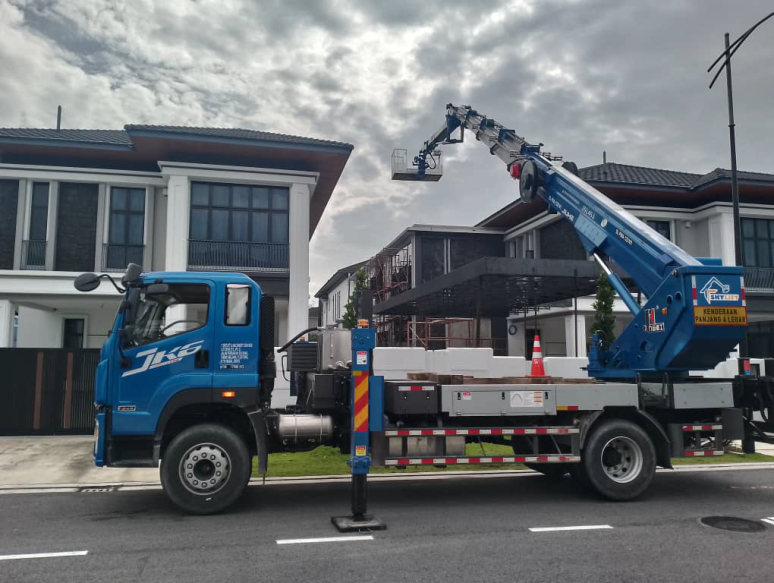
From solar energy and electrical engineering to industrial and automotive support, PSF brings practical expertise together to keep your projects moving.
Solar energyEngineeringIndustrial supportAutomotive
ABOUT PSF
One group. Connected expertise.
Perniagaan Shafiq and Friends Sdn. Bhd. is an integrated technical-commercial group serving residential, commercial and industrial clients across Malaysia.
We bring engineering expertise, hands-on delivery, technical manpower and commercial coordination together to support your needs from planning through ongoing maintenance.
Deliver reliable technical solutions through professional execution, operational efficiency and continuous improvement.
Our vision
Grow as a trusted integrated group recognised for technical excellence, innovation and sustainable progress.
Our values
Professionalism, sustainability and focus guide the way we work and support our clients.
The values behind our work
Professionalism
We uphold integrity, technical excellence and discipline in our projects, operations and client relationships.
Sustainability
We pursue responsible engineering and innovative solutions that create long-term value for clients and industries.
Focus
We focus on quality execution, operational efficiency, customer satisfaction and continuous improvement.
OUR EXPERTISE
Solutions built around your needs.
One point of contact for connected technical capabilities, from energy systems to the equipment that keeps your business running.
☼
Solar PV Solutions
Grid-connected and off-grid solar PV installation, system integration, monitoring and ongoing maintenance.
Explore solar services
Contractor services, engineering, procurement, construction and commissioning (EPCC), and operation and maintenance for homeowners, businesses, factories and property developers. Applications include energy optimisation, preventive maintenance and renewable energy integration.
Vehicle servicing, diagnostics, transmission and gearbox repair.
Explore automotive services
Transmission diagnostics, gearbox servicing, overhauling, repair and preventive maintenance for vehicle owners, fleet operators, workshops and commercial transport companies.
Every project is different. We combine hands-on industry experience, engineering, project coordination and strategic planning to deliver practical solutions tailored to your operational needs.
We aim to build long-term partnerships through quality, responsiveness, reliable support and continuous improvement.
Coordinate energy, engineering and technical support through one group.
Quality and safety focus
Professional execution with attention to quality, safety and efficiency.
Support beyond handover
Ongoing maintenance and technical support for your operations.
OUR WORK
Expertise in action.
Explore the areas of work supported by the PSF group.
Renewable energySolar systems for a brighter futureEngineeringTechnical work in the fieldAutomotiveMaintenance that keeps you moving
Solar project highlights
Residential rooftop systems, commercial installations, industrial energy-saving solutions and hybrid solar systems. Highlighted clients include Johnson Solar (JS), Plus Xnergy Micro (PXM) Sdn. Bhd., Solana Tec Sdn. Bhd., Brilliant Solar Sdn. Bhd. and Great Mind Enterprise.
MEP project highlights
Highlighted clients include Factory Foods (Malaysia) Sdn. Bhd., Factory Chefs (Malaysia) Sdn. Bhd., Matang Holdings and Pelepah Holding Sdn. Bhd.
HOW WE WORK
Our Service Journey
Explore the services and support we provide throughout your project.
Project Management & Coordination
We work closely with clients, business partners, and industry stakeholders to provide effective technical consultation and collaborative solutions tailored to specific operational requirements. Through strong communication, practical industry knowledge, and strategic coordination, we help clients improve project efficiency, system reliability, and long-term operational performance.
Construction, Installation & Execution
Delivering complete on-site execution including solar installations, electrical works, MEP systems, industrial maintenance, fabrication, and technical implementation services.
Testing & Commissioning
Conducting system testing, inspections, troubleshooting, and commissioning processes to ensure all installations and technical systems operate efficiently and reliably before handover.
Training & Technical Support
Providing operational guidance, technical support, and knowledge sharing to help clients maintain system performance, operational efficiency, and long-term reliability.
Quality Assurance & Compliance
Maintaining high standards of workmanship, safety, technical compliance, and operational reliability in accordance with industry requirements and project specifications.
Logistics & Procurement Coordination
Managing procurement, material sourcing, equipment supply, transportation, and technical resource coordination to support smooth project operations and timely delivery.
THE PSF GROUP
Specialist capabilities, working together.
PSFSolar energy, electrical engineering, industrial maintenance and technical support
DELTA AUTOAutomotive technical services
START A CONVERSATION
Let’s make your next project happen.
Tell us what you’re planning. Our team can help you explore the right solution for your requirements.
Use your Google account. A PSF administrator assigns your access (staff or client) after you log in.
i
Access request pending
No company email is required. Access requests are reviewed by a PSF administrator.
PSF Workspace/Overview
PS
iLive data. Projects, calendar, attendance, leave/overtime requests, claims/documents, company costs, HR/payroll records, payslips, compliance reminders, company profile, and Delta Auto workshop records are stored in Firebase. No sample jobs or attendance figures are used.
MONDAY, OCTOBER 12, 2026
Good morning, team ✳
Here’s what’s happening across your operations today.
Active jobs▤
—
Across all projects
Jobs in progress◴
—
Currently being delivered
Claims to review◈
—
Awaiting a decision
Compliance attention!
—
Due soon or needs follow-up
HR overview
Live workforce visibility across attendance, leave, claims, and payroll.
LIVE · HR
Present today—Attendance loading…Late today—Based on the 9:10 AM grace periodLeave requests—Pending approvalClaims awaiting review—Claim total loading…Payroll this month—Saved payslips loading…
Business performance
Recorded invoices less credit notes and manually entered operating costs · all-time totals
ADMIN · ESTIMATE
Claims and quotations are excluded. Profit and margin are estimates based only on the records entered here; this is not an accounting statement.
Job progress
Delivery status across current work
—overall completion
CompletedIn progressScheduled
MonTueWedThuFriSatSun
Today’s attendance
Team check-in overview
—present
Present—
On leave—
Not checked in—
Based on live clock-ins and approved leave
Priority jobs
Work that may need your attention
JOB / PROJECT
OWNER
PROGRESS
STATUS
Compliance tracker
Upcoming statutory reminders
User access requests
Choose Staff, Client or Administrator for each new Google account.
LOADING
PEOPLE & OPERATIONS
Team calendar
Shared job schedules and approved leave / overtime.
LIVE · FIREBASE
Month Year
Choose a date to see the full agenda. Project color follows the team; PIC names use their own color.
Job / teamApproved leaveApproved overtime
Select a date
Click a project in the calendar to open all scheduled details for that day.
Loading shared calendar…
PEOPLE
People · HR requests
Submit leave and overtime for administrator review.
LIVE · FIREBASE
Apply for leave
Choose the leave period and type. No balance is calculated here.
Apply for overtime
Request ahead of time or submit completed overtime for review.
Leave requests
Only you and administrators can view your request details.
Review employee leave applications.
LOADING
Overtime requests
Only you and administrators can view your request details.
Review planned and completed overtime submissions.
LOADING
ADMIN ONLY · CONFIDENTIAL
HR & payroll data
Manage source records from the supplied Timetec workbooks.
ADMIN-ONLY FIRESTORE
Confidential employee data. Employee identity, bank, salary, and tax records are readable and editable only by approved administrators. This dashboard is a record store, not payroll calculation or statutory filing software.
Prepare a printable payslip
Employee salary and company details are filled from HR records. Estimated statutory contributions are calculated for eligible workers; verify payroll figures before payment.
EMPLOYEE
COMPANY
PERIOD
NET (MYR)
STATUS
CREATED
PROJECT WORKSPACE
Project Management
A dedicated workspace for planning and managing project delivery.
Loading project planner…
OPERATIONS
Jobs & projects
Track schedules, ownership, and delivery progress.
WORKER VIEW · READ ONLY
Client reports · by urgency
Issues reported by clients. Assign them to operations as a job.
0 open
LOG ID
CLIENT
LOCATION
CONDITION / REPORT
URGENCY
ISSUE DATE
PROGRESS
JOB / PROJECT
ACTIVITY / LOCATION / TIME
CLIENT
TEAM
OWNER · PIC
DUE DATE
PROGRESS
STATUS
Unassigned job pool
Keep jobs that do not have a project ID or dates yet. Assign them later to place them on the calendar.
NO DATE · NO PROJECT
JOB
DESCRIPTION
CLIENT
TEAM
OWNER · PIC
CLIENT
Report an issue
Tell us what happened at your home. Our team is notified immediately.
New report
Logs ID is generated automatically.
My reports
Progress updates appear here.
LOG ID
LOCATION
CONDITION
URGENCY
ISSUE DATE
REPORT
PROGRESS
ACCOUNTING
Wan Reminder
Track every step from quotation to payment: what is waiting for the client, what needs your action, and what is overdue.
Needs attention
STAGE
REFERENCE
PROJECT
CLIENT
AMOUNT
DATE / DUE
WHAT TO DO
Project progress tracker
Quotation → work → invoice → payment received (Complete).
PROJECT
QUOTATION
WORK
INVOICED
PAYMENT
OUTSTANDING
OPERATIONS
Rectifications
Record corrective actions for client issues.
New rectification
Optionally link it to a client report.
TITLE
LINKED REPORT
CORRECTIVE ACTION
RESPONSIBLE
TARGET
STATUS
PSF FINANCE
Accounting System
Project documents and itemised expense claims, including general claims without a project.
EMPLOYEE CLAIMS · OWN RECORDS ONLY
— claims awaiting review
Documents & claims
Submit itemised expenses. Employees can edit their own claims; employee edits return reviewed claims to Pending.
0 selected
TYPE / ID
JOB / PROJECT
COMPANY
DESCRIPTION
SUBMITTED
AMOUNT
OWNER
STATUS
Project forecast & monthly P&L
Accepted quotations set each PRJ baseline. Allocate the planned income by month, then compare invoices and booked project costs.
PROJECT · MONTHLY
Select a project to see its accepted quotation baseline.
Accepted quotation value is the baseline for the PRJ ID. Projected net subtracts project costs recorded so far from planned income; actual net uses invoiced income less booked project costs. Unentered future costs are not included.
PRJ ID
MONTH
ACCEPTED QUOTE
PLANNED INCOME
ACTUAL INCOME
PROJECT COSTS
ACTUAL NET
PLAN LESS COSTS
Operating costs
Enter company costs separately; only these records reduce estimated profit.
Loading company costs…
DATE
COMPANY
JOB / PROJECT
DESCRIPTION
AMOUNT (MYR)
DELTA AUTO PLT
Delta Auto accounting
Workshop sales, purchases, reports, work orders, and company financials.
LIVE · DELTA AUTO ONLY
Document print settings
Shared defaults for this company's invoices, purchase orders and quotations. Existing documents keep their saved terms; you can edit terms on each document before saving.
Invoices recorded↗
—
Delta Auto workshop invoices
Credit notes−
—
Recorded credits only
Workshop COGS recorded⚙
—
Parts / COGS on work orders
Operating costs▧
—
Shared company cost records
Estimated profit◎
—
Net revenue —
Vehicle work orders
Attach vehicle, foreman and parts cost to an issued invoice. The invoice date and value come from the invoice, so revenue is never counted twice.
DATE
INVOICE
VEHICLE
CATEGORY
WORK SCOPE
PARTS POs
FOREMAN
INVOICE (MYR)
Loading Delta Auto invoices and operating costs…
Quotes, invoices & purchase orders
Create printable Delta Auto documents with saved contacts, automatic numbering (QU-DA / INV-DA / PO-DA), and calculated line totals.
0 selected
TYPE
NUMBER
CONTACT
PROJECT
ISSUE DATE
EXPIRES
TOTAL (MYR)
PAYMENT
Import invoice history (Xero CSV)
Upload the exported Xero sales-invoice CSV. Each invoice becomes a normal PSF invoice with its original line items and totals. Invoices already imported are skipped, and draft, voided and bill (ACCPAY) rows are ignored.
Import Delta Auto history (Xero Excel or CSV)
Import historical invoices, quotations, or purchase orders into Delta Auto. Original line items and totals are retained; existing document numbers are skipped.
Import Delta Auto bills
Upload a supplier bills CSV or Excel export. Bills are saved to Purchases → Bills; existing bill numbers, drafts, and non-bill rows are skipped.
Existing bill numbers are skipped.
Closed monthly financials
Historical figures provided in the workshop template. Net profit = revenue − COGS − rental & utilities − other expenses + other income.
The template headline reports revenue RM84,981.00, COGS RM63,414.24, operating expenses RM12,684.95, and net profit RM4,204.46. Monthly reported net figures sum to RM4,522.11, while gross less COGS and operating expenses calculates to RM8,881.81. These source totals conflict; monthly figures are retained individually for review.
MONTH
OVERHAUL
REPAIR
SERVICING
TOTAL REVENUE
PARTS
LUBRICANTS
SUPPLIES
TOTAL COGS
GROSS PROFIT
RENTAL & UTILITIES
OPERATING PROFIT
OTHER EXP. (−)
OTHER INC. (+)
NET PROFIT
Delta Auto operating costs
These records are shared with the main Business Performance view and are kept separate from other subsidiaries.
DATE
DESCRIPTION
AMOUNT (MYR)
PEOPLE
Attendance
Live employee clock-ins, GPS site checks, and review.
Loading today’s records
Company access setup
Staff request access using a Google account; an administrator reviews each request.
ACCESS CONTROL ACTIVE
Attendance location policy: each clock-in/out records the Firebase server time and requests device-reported location once. A reported location within 100 metres of either registered site is accepted automatically; out-of-area or unavailable GPS records are saved for administrator review. Location is not tracked continuously, and browser GPS can be inaccurate or spoofed.
+
Employee access
Admin-reviewed Google account requests.
1
Team member signs in with any verified Google account.
2
The new account remains outside the workspace while approval is pending.
3
An administrator approves the request as an employee account.
◷
Clocking & visibility
Personal clocking with private employee records.
1
Employee clocks in or out on their own account from an approved device.
2
Employee sees only their own attendance, punctuality feedback, and reminders.
3
Admin retains the full company attendance and operations overview.
Attendance and HR requests sync with Firebase; confidential HR/payroll records are administrator-only. Legacy local demo records are ignored and are not included in the live workspace.
Today’s team attendance
Live records · Malaysia time
LIVE · GPS + SERVER TIME
TEAM MEMBER
CLOCK IN
CLOCK OUT
LOCATION CHECK
REVIEW
MY WORKSPACE
My attendance
Clock your day and check your own attendance.
Clock events use Firebase server time and are visible to PSF administrators. GPS is requested only when you clock in or out; your device may report an inaccurate or spoofed location.
TODAY ·
Ready to start?
Clock in when you begin work.
GPS check: waiting for your clock-in
Clock in—
Clock out—
If you are working outstation or GPS is unavailable, you can still record your clock event; it will be marked for administrator review.
GOVERNANCE
Statutory compliance
Guided tools for statutory checks, tax estimates and filing preparation.
WORKER VIEW · READ ONLY
ADMIN TAX WORKSPACE
Planning and preparation tool only — not a filing service or tax determination. Figures and obligations depend on the exact activity, Customs classification, registration and current rules. Verify them in MySST before filing. Malaysia SST is not GST: do not automatically offset supplier tax as an input-tax credit.
SST workbench
Select SST to open the guided engine. Other items remain available as filing reminders.
Malaysia SST workbench
LOCAL ESTIMATE · NOT FILED
1. Registration and applicability check
This screens common routes only. It cannot determine whether a product, service, contract or exemption is taxable.
Use the taxable period shown in the entity's MySST account. SST-02 declarations for sales tax and service tax are separate, even when preparing both here.
Preparation checks
Reconcile taxable values to invoices, receipts and the correct tax point / accounting basis.
Keep credit/debit notes and evidence for any relief or deductions; don't offset ordinary supplier tax as an input credit.
Submit the required return through MySST, including a nil return when required. This tool does not file or save the return.